Task.cancel() Doesn't Stop Your Task
Calling cancel() on a Swift Task only sets a flag. This post shows which tasks see that flag, which APIs check it for you, how to wrap callback APIs with withTaskCancellationHandler, and how to stop AsyncStream producers that keep running.
I saw this bug in a mobile app. I typed a word fast, and the list showed results for the first letter only.
The code cancelled the previous search task on every keystroke. So how did the old search win?
Because cancel() only sets a flag on the task, and the task decides what to do with it. If nothing in the task checks the flag, the task runs to the end as if nobody had asked.
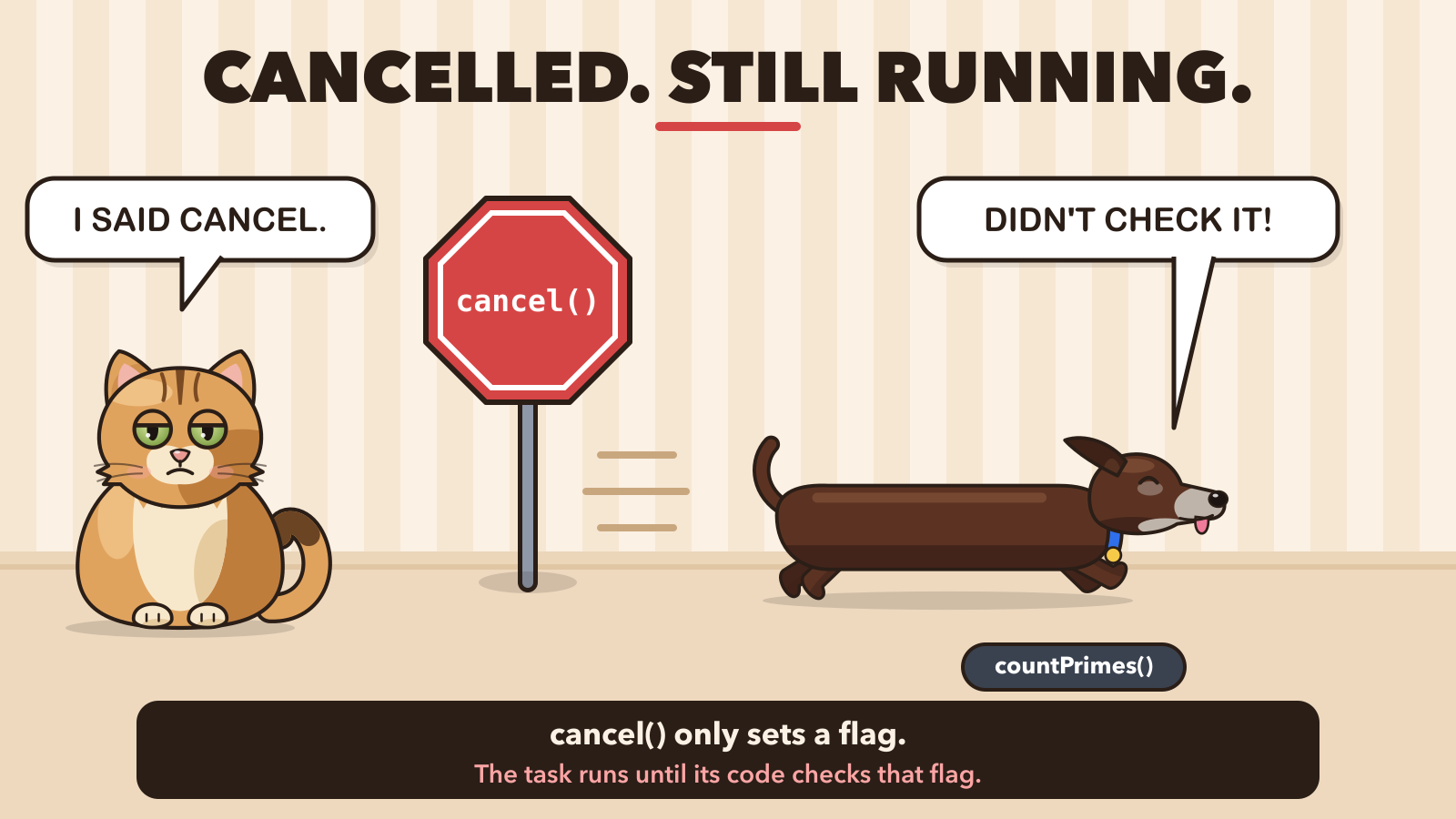 Pimpek is the task. The cancel sign is only a sign.
The bug: old results replace new ones
Here's the setup. A search model starts one task per query and cancels the previous one:
swift// Before: old results can replace new ones
@MainActor @Observable
final class SearchModel {
  var results: [String] = []
  private var searchTask: Task<Void, Never>?
  private let client = SearchClient()

  func queryChanged(_ query: String) {
    searchTask?.cancel()   // cancel the previous search
    searchTask = Task {
      let found = (try? await client.search(query)) ?? []
      results = found   // 👈 runs even after cancel()
      print("results = \(results)")
    }
  }
}
SearchClient is an older callback-based client, wrapped in a continuation:
swiftextension SearchClient {
  func search(_ query: String) async throws -> [String] {
    let request = makeRequest(query)
    return try await withCheckedThrowingContinuation { continuation in
      request.start { continuation.resume(with: $0) }
    }
  }
}
To show it, I rebuilt the bug in a small demo. The fake backend answers short queries more slowly. I type "s", then "swift" 50 ms later:
outputresults = ["swift result"]
results = ["s result"]
The "swift" results arrive first. Then the cancelled "s" request finishes and replaces them. The user sees results for a query they're no longer typing.
If you expected cancel() to work like killing a thread, it doesn't. Swift Concurrency has no API that forces a task to stop.
What cancel() actually does
Swift cancellation is cooperative. cancel() sets an isCancelled flag on the task (and on its child tasks). That's all. The code inside the task keeps running until it checks the flag.
Here's a function that counts primes and never checks:
swift@concurrent
func countPrimes(upTo limit: Int) async -> Int {
  var count = 0
  for n in 2...limit where isPrime(n) {
    count += 1
  }
  return count
}

let clock = ContinuousClock()
let start = clock.now
let task = Task {
  let primes = await countPrimes(upTo: 3_000_000)
  print("Done: \(primes) primes")
}
task.cancel()
print("Cancelled? \(task.isCancelled)")
await task.value
print("Finished after \(clock.now - start)")
outputCancelled? true
Done: 216816 primes
Finished after 0.120430375 seconds
💡 Hint: @concurrent (Swift 6.2) runs the function on the background thread pool instead of the caller's actor. Heavy loops like this one should not run on the main actor.
The task is cancelled before it does any work, and it still does all of it. Now the same loop with one extra line:
swift@concurrent
func countPrimes(upTo limit: Int) async throws -> Int {
  var count = 0
  for n in 2...limit {
    if n.isMultiple(of: 10_000) {
      try Task.checkCancellation()   // 👈 stop here if someone called cancel()
    }
    if isPrime(n) { count += 1 }
  }
  return count
}
The caller is the same task as before, with a do/catch that prints the error:
outputStopped with CancellationError
Finished after 0.000227791 seconds
Compare the two runs. Both tasks were cancelled right away. The version without a check counted all the primes anyway and finished after 0.12 seconds. The version with checkCancellation() stopped at its first check, after 0.2 milliseconds. The only difference between them is that one line.
Two ways to check the flag
| API | What it does | Use it when |
|---|---|---|
Task.isCancelled | Returns true or false | You want to return early or return partial results |
try Task.checkCancellation() | Throws CancellationError | The function already throws |
Both read the flag of the current task. You don't need a reference to the Task object.
You don't have to check after every line. Check before expensive work, inside long loops, and after every await whose result you're about to store. In the search bug, the last one is the missing check.
APIs that already check for you
Many system async APIs check the flag themselves and stop early:
Task.sleep(for:)throwsCancellationErrorright away.URLSession'sdata(from:)cancels the request and throws.for awaitover anAsyncStreamends: the stream returnsnil.- Task groups cancel all their children when the group's task is cancelled.
A continuation you write yourself, like SearchClient.search, doesn't do this. Swift has no idea how to cancel your callback API. That's the second half of the search bug.
⚠️ Careful: URLSession doesn't throw CancellationError. It throws URLError with the code .cancelled. So catch is CancellationError doesn't catch a cancelled request. Check Task.isCancelled in the catch block instead.
swiftdo {
  let (data, _) = try await URLSession.shared.data(from: url)
  results = try decoder.decode([String].self, from: data)
} catch {
  if Task.isCancelled { return }   // 👈 covers CancellationError and URLError.cancelled
  errorMessage = error.localizedDescription
}
Which tasks get cancelled with their parent?
Cancelling a task also cancels its child tasks. But only structured tasks are children. Here's a function that starts four kinds of work, and its parent task is cancelled after 100 ms:
swiftfunc loadProfile() async {
  Task { await step("Task {}") }                 // 👈 not a child
  Task.detached { await step("Task.detached") }  // 👈 not a child either
  async let avatar: Void = step("async let")
  await withTaskGroup(of: Void.self) { group in
    group.addTask { await step("task group child") }
  }
  await avatar
}
Each step sleeps for one second and prints whether it finished or was cancelled:
outputtask group child: cancelled
async let: cancelled
Task {}: finished
Task.detached: finished
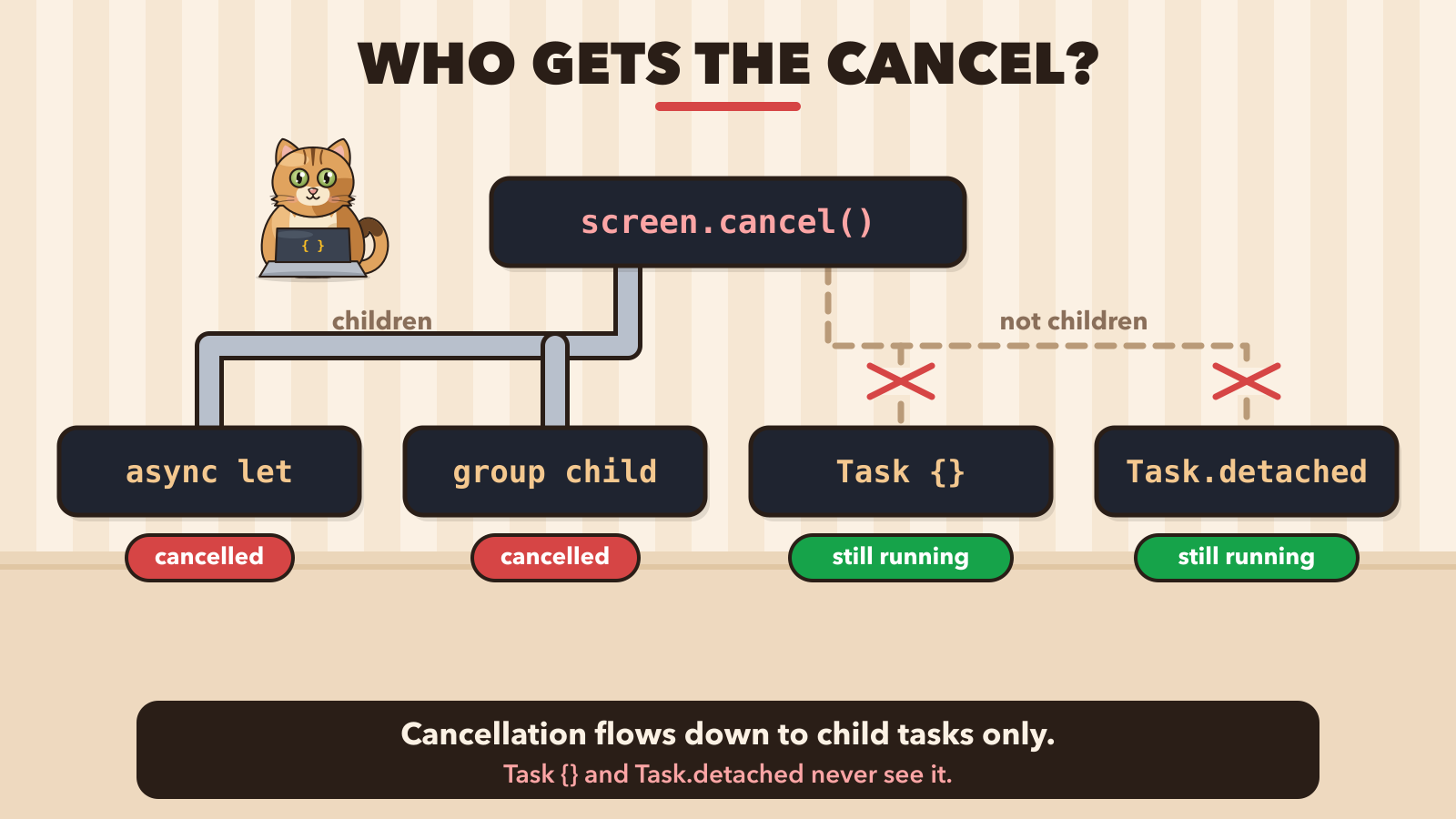 Cancellation reaches async let and group children, not Task {}
Task {} copies the actor and the task-local values from where it starts, but it's a new top-level task. Its parent's cancellation never reaches it. Task.detached copies nothing at all.
So every Task {} you create is a task you must cancel yourself. Keep a reference to it, like searchTask above, or don't create it.
💡 Hint: inside an async function, you rarely need Task {}. Use async let for a fixed number of parallel jobs and withTaskGroup for a dynamic number. Both get cancellation for free.
Wrapping a callback API with withTaskCancellationHandler
Back to the search bug. The callback client has its own cancel(), like URLSessionDataTask. We need to call it when the Swift task is cancelled. That's what withTaskCancellationHandler is for:
swift// After: cancelling the task cancels the request
extension SearchClient {
  func search(_ query: String) async throws -> [String] {
    let request = makeRequest(query)
    return try await withTaskCancellationHandler {
      try await withCheckedThrowingContinuation { continuation in
        request.start { continuation.resume(with: $0) }
      }
    } onCancel: {
      request.cancel()   // 👈 called as soon as the task is cancelled
    }
  }
}
The client already finishes a cancelled request with CancellationError, so the continuation still resumes exactly once. The model now ignores cancelled searches:
swiftsearchTask = Task {
  do {
    results = try await client.search(query)
    print("results = \(results)")
  } catch is CancellationError {
    print("\"\(query)\" cancelled")   // 👈 an old search, nothing to show
  } catch {
    results = []
  }
}
outputresults = ["swift result"]
"s" cancelled
Two details matter here:
onCancelruns immediately, on the thread that calledcancel(), possibly while the operation is still running. Anything it touches must be thread-safe.- If the task is already cancelled,
onCancelruns before the operation starts. Create the request first, then start it, socancel()always has something to cancel.
SwiftUI's .task cancels for you
In SwiftUI you rarely call cancel() yourself. The .task modifier starts a task when the view appears and cancels it when the view disappears:
swiftstruct ProfileScreen: View {
  @State private var profile: Profile?

  var body: some View {
    Text(profile?.name ?? "Loading…")
      .task {   // 👈 cancelled when the view disappears
        profile = try? await fetchProfile()
      }
  }
}
.task(id:) goes further: when the id changes, it cancels the old task and starts a new one. That's the whole search screen, debounce included:
swiftList(results, id: \.self) { Text($0) }
  .searchable(text: $query)
  .task(id: query) {   // 👈 new query: old task cancelled, new one starts
    try? await Task.sleep(for: .milliseconds(300))   // debounce
    guard !Task.isCancelled else { return }
    results = await search(query)
  }
Task.sleep throws when the user types the next letter, the guard returns, and only the last query reaches the network. Remember, though: SwiftUI can only set the flag. If search(query) ignores it, you're back to the original bug.
AsyncStream: stop the producer in onTermination
The last place where cancellation goes missing is the producer side of an AsyncStream. Cancelling the consumer ends its for await loop. It doesn't stop the code that feeds the stream:
swift// Before: the producer outlives the consumer
func ticks() -> AsyncStream<Int> {
  AsyncStream { continuation in
    Task {
      for tick in 1... {
        try? await Task.sleep(for: .milliseconds(100))
        print("producer: tick \(tick)")
        continuation.yield(tick)   // 👈 nobody is listening, but the loop goes on
      }
    }
  }
}
The consumer prints every value and is cancelled after 250 ms:
swiftlet consumer = Task {
  for await tick in ticks() { print("got \(tick)") }
}
try await Task.sleep(for: .milliseconds(250))
consumer.cancel()
print("consumer cancelled")
outputproducer: tick 1
got 1
producer: tick 2
got 2
consumer cancelled
producer: tick 3
producer: tick 4
producer: tick 5
producer: tick 6
The producer runs forever. The fix is to keep a reference to the producer task and cancel it in onTermination, which the stream calls when the consumer goes away:
swift// After: the producer stops with the consumer
func ticks() -> AsyncStream<Int> {
  AsyncStream { continuation in
    let producer = Task {
      for tick in 1... {
        try await Task.sleep(for: .milliseconds(100))
        print("producer: tick \(tick)")
        continuation.yield(tick)
      }
    }
    continuation.onTermination = { _ in
      producer.cancel()   // 👈 the consumer is gone, stop producing
    }
  }
}
outputproducer: tick 1
got 1
producer: tick 2
got 2
consumer cancelled
Notice try? became try: the cancelled Task.sleep now throws and ends the loop. With try?, the loop would ignore the error and keep going, even after cancel().
The same onTermination trick removes subscribers in a broadcaster. I used it in Migrating from Combine to AsyncStream.
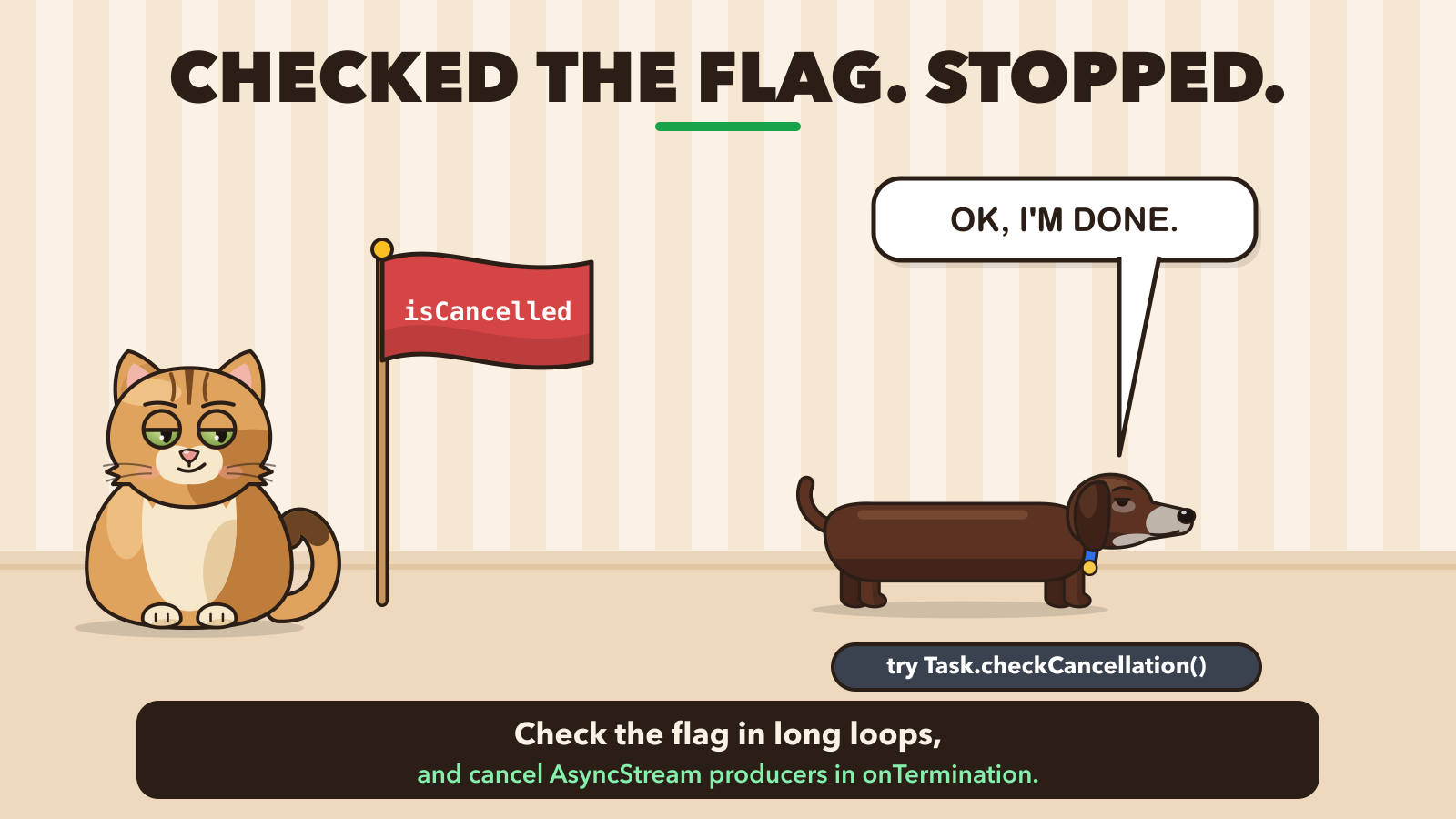 Pimpek checks the isCancelled flag and stops
My rule: no Task {} without someone who cancels it
My opinion: treat every Task {} like an AnyCancellable in Combine. If nobody holds it and nobody cancels it, it's a leak waiting to happen.
In practice:
- In SwiftUI, use
.taskand.task(id:). Cancellation is automatic. - In async functions, use
async letand task groups. Cancellation is automatic. - If you need
Task {}, store it and cancel it in one clear place, likesearchTaskabove.
Takeaways
cancel()only sets a flag. Code that never checks it runs to the end.- Check with
Task.isCancelledortry Task.checkCancellation()in long loops and after anawaitwhose result you store. - Child tasks from
async letand task groups are cancelled with their parent.Task {}andTask.detachedare not. - Callback APIs need
withTaskCancellationHandler, andAsyncStreamproducers needonTermination, or they keep running.
Swift cancellation only asks a task to stop. Once every long task checks for that request, old search results stop replacing new ones.
Thanks for reading! 🐾